
Status-Based Order Tracking is an alternative method of tracking purchases. It has three important advantages to standard tracking:
- It uses server-side tracking technique, which can avoid some ad blockers
- It can track refunds and cancellations (in tracking tools that support it)
- A client doesn’t need to view an order-confirmation page, for the order to be tracked.
In other words…
SBOT tracks when an order is made, refunded or cancellated, when its status changes.
How to turn it on
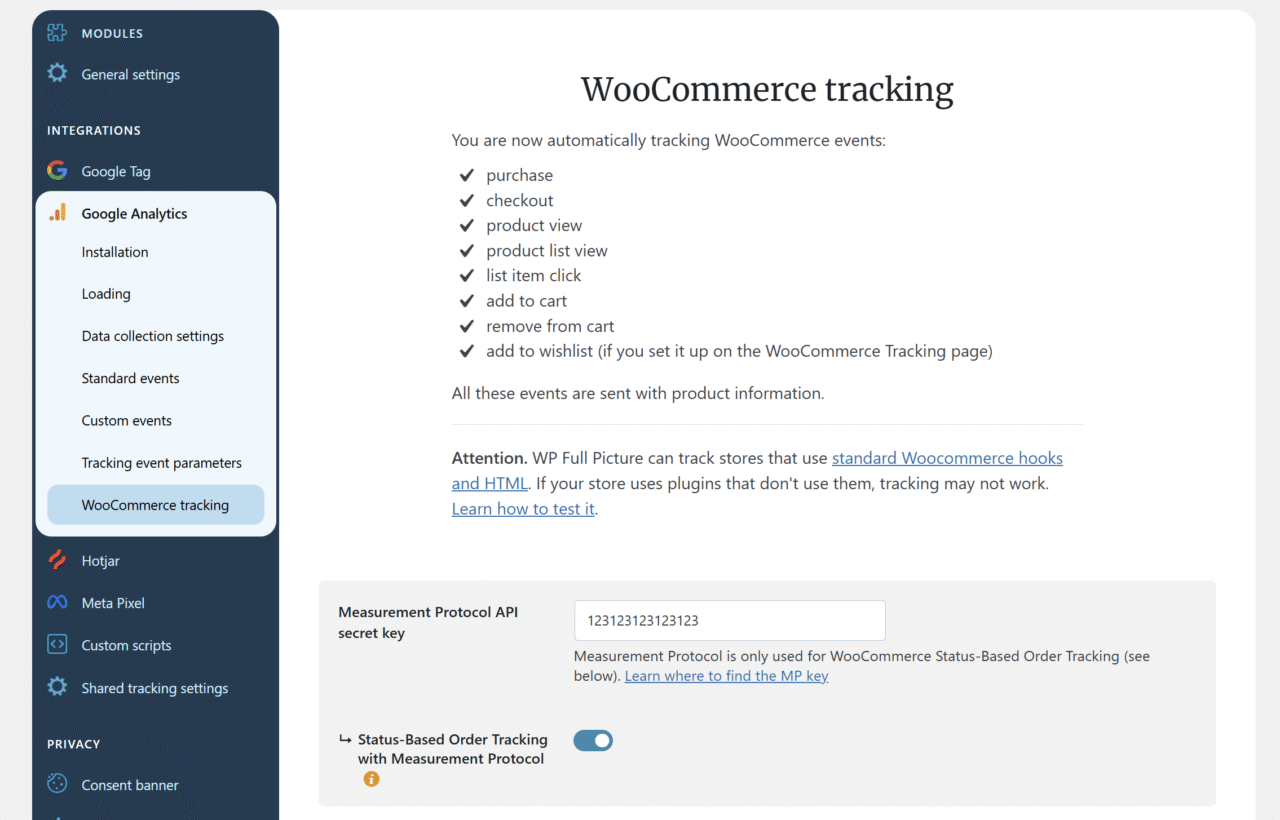
At the moment Status-Based Order Tracking is only supported in Google Analytics and Meta Pixel.
You can find instructions on how to enable SBOT for these tools, in the WooCommerce tracking section of their settings pages.
What statuses trigger tracking
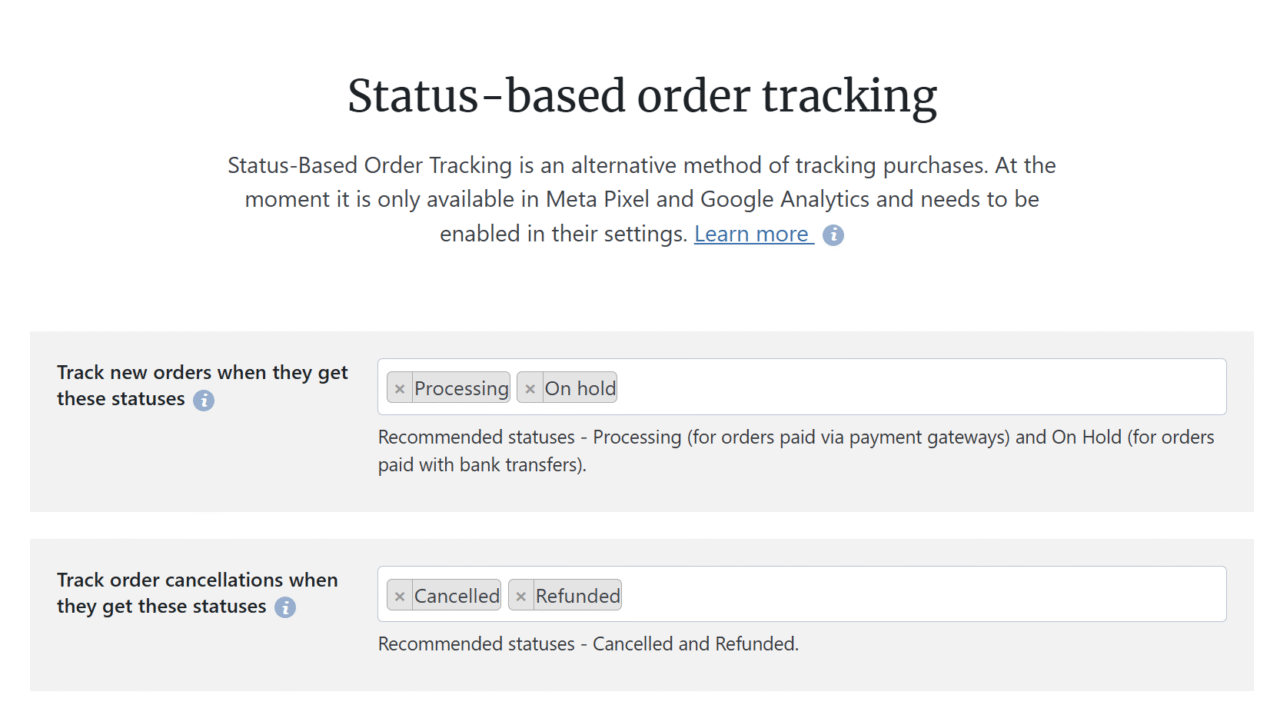
You can choose when WP Full Picture will send to tracking tools “purchase” and “refund” events.
Simply, go to the WooCommerce tracking module > Status Based Order Tracking.
Limitations
Google Analytics
- Google Analytics will not track orders which it received more than 72 hours after the order happened.
- Google Analytics has no built-in report where you can see order refunds and cancellations. You need to create it yourself with our guide.
Meta Pixel
Meta Pixel doesn’t support tracking refunds and cancellations.
Manual orders
SBOT does not track orders added manually in the WooCommerce admin panel.
Partial refunds
Partial refunds are not tracked.